> ## Documentation Index
> Fetch the complete documentation index at: https://docs.airmdr.com/llms.txt
> Use this file to discover all available pages before exploring further.
# Nightfall AI
> Connect Nightfall AI to AirMDR with a Nightfall API key so AirMDR can access the Nightfall data supported by its integration. This guide covers key creation, AirMDR credential entry, validation, and the Remote Agent and Expiryfields shown under Advanced Configuration.
The integration gives AirMDR access to Nightfall security data for investigation and automation, according to the Nightfall products enabled in your tenant and the skills available in AirMDR. Nightfall provides APIs for data loss prevention (DLP) violations, exfiltration events, and posture events. The exact actions available in AirMDR depend on its installed integration capabilities
| Component | Compatibility guidance |
| :----------------------- | :-------------------------------------------------------------------------------------------------------------------------------------------------------------------------------------------------- |
| Nightfall AI | Cloud-hosted Nightfall console and the API features enabled for your subscription. There is no Nightfall software version to enter in the AirMDR form. |
| Nightfall API | The validation example below uses the documented **DLP Native SaaS Apps API**, under `/dlp/v1`. Nightfall documents separate APIs for other product areas. |
| AirMDR | Use the **Nightfall AI** connection form that requests `Api_key`. Confirm the supported Nightfall skills in your AirMDR environment before promising a particular investigation or response action. |
| Nightfall endpoint agent | Its installation and version are separate from the **AirMDR Remote Agent** field in this guide. |
Nightfall states that its Native SaaS Apps DLP API retrieves violations from supported, connected SaaS apps. It does **not**retrieve violations generated by apps scanned through the Developer Platform; those use a different API family.
AirMDR uses a **Nightfall API key**, entered in its `Api_key` field. Nightfall API requests use the header `Authorization: Bearer ` over HTTPS. The AirMDR form does not request an OAuth authorization code or a separate client secret.
**Access considerations**
* Nightfall lists **API Keys** among the System Administrator permissions. Use an authorized administrator to create the key, then review who can manage it.
* Treat the key as a secret. Nightfall shows its full value at creation; after the creation window closes, it cannot be retrieved from the key list.
* Check that your Nightfall subscription and account have access to the product data you expect to use. Key creation by itself does not create app connections, policies, or violations.
* Nightfall’s role documentation describes predefined roles and states that custom roles cannot currently be created. Do not assume you can create a dedicated custom API role in the Nightfall UI.
## Pre-requisites
>
> An active Nightfall tenant at [app.nightfall.ai](http://app.nightfall.ai) and **System Administrator** role permission to create API keys.
>
>
>
> Relevant Nightfall apps and policies configured if you expect DLP violations from those apps.
>
>
>
> Access to the AirMDR organization where you will create the connection and Network access from AirMDR, or its selected Remote Agent, to the Nightfall API over HTTPS.
>
## Setup Steps
1. Sign in to the [Nightfall dashboard](https://app.nightfall.ai/) with an account authorized to manage API keys.
2. Open **Developer Platform → API Keys**.
3. Select **Generate New Key**.
4. Enter a name that identifies its use, such as `AirMDR Integration`, and create the key.
5. **Copy the complete key immediately** and keep it in an approved secret store until you enter it in AirMDR. The complete value is displayed only at creation.
**The token is displayed only once.**
**Copy and securely save the API Token in your designated Password Manager or Vault.**
**It cannot be retrieved after the creation screen is closed.**
| Field | Description | Where to obtain or configure |
| :--------------- | :------------------------------------------------------------------------------------------------------------------------------------------------------------ | :---------------------------------------------------------------------------------------------------------------------------------------------------------------------------------------------------- |
| **Api\_key** | Nightfall API key used to authenticate AirMDR requests. Enter the complete key without the `Bearer` prefix. | In the [Nightfall dashboard](https://app.nightfall.ai/), go to **Developer Platform → API Keys → Generate New Key**. Name the key and copy it immediately; its complete value is displayed only once. |
| **Remote Agent** | AirMDR Remote Agent used to execute integration requests when required by your deployment. Leave unselected for a direct cloud connection. | In AirMDR, expand **Advanced Configuration → Remote Agent** and select an appropriate, configured agent with HTTPS access to `api.nightfall.ai`. |
| **Expiry** | Date recorded in AirMDR for the credential’s expiration or your organization’s planned rotation. This field does not change the Nightfall API key’s lifetime. | In AirMDR, expand **Advanced Configuration → Expiry** and select the applicable date. Leave unset if no date applies. |
If you need to distinguish a Nightfall authentication problem from an AirMDR configuration problem, run this optional check from an approved workstation. It requests at most one Native SaaS App violation and displays **only the HTTP status**, so violation details are not printed.
```text theme={null}
read -rsp "Nightfall API key: " NIGHTFALL_API_KEY
printf '\n'
curl --silent --show-error --get \
'https://api.nightfall.ai/dlp/v1/violations' \
--data-urlencode 'limit=1' \
--header "Authorization: Bearer ${NIGHTFALL_API_KEY}" \
--header 'Accept: application/json' \
--output /dev/null \
--write-out 'HTTP %{http_code}\n'
unset NIGHTFALL_API_KEY
```
A **200** response confirms that Nightfall accepted this request. It does not establish that every Nightfall product or AirMDR skill is available. The endpoint, Bearer authentication, `limit` parameter, and documented **401** and **429** responses come from Nightfall’s Native SaaS Apps API reference.
## Configure Nightfall AI in AirMDR Integrations Dashboard
1. Navigate to [AirMDR](https://app.airmdr.com/auth/login), provide the credentials and click **Login**
2. Navigate to the AirMDR Integrations Dashboard in the left navigation pane and select **ADMIN → Integrations**.
3. Use the search option, enter the keyword "**Nightfall AI**", select the **Connections** tab, and click **+ New Connection** button.
4. Use the following values in the AirMDR integration configuration screen:
| Field | What to enter |
| :----------------- | :--------------------------------------------------------------------------------------------------------------------------- |
| **Instance \*** | A recognizable name for this connection, such as `Nightfall-Production`. This is an AirMDR label, not the Nightfall API URL. |
| **Organization** | Select the AirMDR organization that should own the connection. |
| **Description \*** | Briefly identify the Nightfall tenant and purpose, such as `Production Nightfall security events`. |
| **Api\_key \*** | Paste the complete Nightfall key copied in step 4.1. Enter the key value only; do not prefix it with `Bearer `. |
| Field | Guidance |
| :--------------- | :---------------------------------------------------------------------------------------------------------------------------------------------------------------------------------------------------------------------------------------------------------------------------------------------------------------------------------------------------------------------- |
| **Remote Agent** | For a publicly reachable Nightfall cloud API, leave this unselected unless your AirMDR deployment requires traffic through a particular AirMDR Remote Agent. If required, select an agent that can reach `api.nightfall.ai` over HTTPS and is supported for this integration in your AirMDR environment. This field does **not** refer to the Nightfall endpoint agent. |
| **Expiry** | If the Nightfall key has an actual expiration date in your tenant, enter that date. Otherwise, leave the field unset unless your team uses it to track a planned rotation date. A date entered in AirMDR does not set or renew the Nightfall key’s lifetime. Check your AirMDR environment’s behavior before relying on this field for alerts or automatic disabling. |
5. Click **Save**.
## Skills provided by this Integration
The Netskope integration provides **investigation, device and application assessment, policy review, and event retrieval skills** to help security teams investigate activity, assess potential impact, and review Netskope security information.
Use these skills to investigate sensitive-data violations, examine findings, record verdicts, and perform remediation actions.
| Skill | Skill ID | Purpose | Access |
| :--------------------------------------- | :------------------------------------- | :--------------------------------------------------------------------------------------------------------------------------------------------------------------------------------------------------------------------- | :------------------ |
| **Get Nightfall violations** | `get_nightfall_violations` | Retrieves, searches, or filters Nightfall SaaS DLP violations. Returns information such as the affected integration, resource, user, policy, risk level, state, and available remediation actions. | Read-only |
| **Get Nightfall violation findings** | `get_nightfall_violation_findings` | Retrieves the findings and activity history associated with a specific violation. Finding information can include the detector, confidence, masked matched value, location, and remediation timeline. | Read-only |
| **Manage Nightfall finding annotations** | `manage_nightfall_finding_annotations` | Adds, retrieves, or removes a verdict from a finding, such as **True Positive**, **False Positive**, or **Not a Violation**. An annotation updates Nightfall metadata and does not directly modify the source content. | Write – metadata |
| **Manage Nightfall violations** | `manage_nightfall_violations` | Applies a supported action to one or more violations. Actions can include acknowledge, resolve, redact, quarantine, delete, restrict access, send a notification, or create a Jira issue. | Write – remediation |
Nightfall’s DLP APIs support retrieving violations, findings, and activity records and applying actions to violations. The action must be present in the violation’s `possibleActions` value because supported remediation differs by connected application.
Actions such as redaction, quarantine, deletion, link restriction, or access removal can modify customer content or sharing permissions. Require user confirmation before executing these actions.
Use these skills to investigate data movement, permission exposure, risky configuration changes, and activity associated with users or assets.
| Skill | Skill ID | Purpose | Access |
| :---------------------------------------- | :-------------------------------------- | :------------------------------------------------------------------------------------------------------------------------------------------------------------------------------------------------------------------------ | :-------- |
| **Get Nightfall exfiltration events** | `get_nightfall_exfiltration_events` | Retrieves, searches, or filters data-exfiltration events. Events can include file uploads, downloads, clipboard activity, removable media use, printing, AirDrop, Git activity, and transfers to personal cloud services. | Read-only |
| **Get Nightfall posture events** | `get_nightfall_posture_events` | Retrieves, searches, or filters posture-management events involving data-at-rest exposure, such as public sharing, external collaborators, and permission changes. | Read-only |
| **Get Nightfall actor or asset activity** | `get_nightfall_actor_or_asset_activity` | Retrieves the activity history for a specific user or asset from the exfiltration or posture event store over a defined time range. | Read-only |
The activity skill uses the applicable actor or asset endpoint based on the selected event source:
| Activity type | API area |
| :-------------------------- | :-------------------------------- |
| Exfiltration actor activity | `/exfiltration/v1/actor/activity` |
| Exfiltration asset activity | `/exfiltration/v1/asset/activity` |
| Posture actor activity | `/posture/v1/actor/activity` |
| Posture asset activity | `/posture/v1/asset/activity` |
Nightfall requires both the start and end of the activity time range. The AirMDR skill description indicates that it uses a seven-day duration when explicit times are not provided.
Use these skills to identify managed endpoint devices and AI tools discovered across the organization.
| Skill | Skill ID | Purpose | Access |
| :--------------------------------- | :------------------------------- | :--------------------------------------------------------------------------------------------------------------------------------------------------------------------------------------------------------------------------------- | :-------- |
| **Get Nightfall AI inventory** | `get_nightfall_ai_inventory` | Retrieves AI governance inventory discovered across managed endpoints, including MCP servers, agent plugins, agent hooks, and IDE extensions. It can show which devices use a particular AI component and whether it was approved. | Read-only |
| **Get Nightfall endpoint devices** | `get_nightfall_endpoint_devices` | Lists devices running the Nightfall endpoint agent and returns details such as operating system, agent version, connection status, missing permissions, and browser-extension state. | Read-only |
Nightfall documents the AI governance inventory tools as read-only. These tools support inventory views for MCP servers, plugins, hooks, IDE extensions, and the devices using them.
The endpoint-device skill uses:
```text theme={null}
GET https://api.nightfall.ai/apps/v1/endpoint/devices
```
This endpoint returns devices where the Nightfall endpoint agent is installed.
The Nightfall endpoint agent reported by this skill is different from the **AirMDR Remote Agent** configured when creating the integration connection.
Use these skills to inspect or directly call tools exposed by the Nightfall MCP server.
| Skill | Skill ID | Purpose | Access |
| :--------------------------- | :------------------------- | :----------------------------------------------------------------------------------------------------------------------------------------------------------------------------------------------------------------------- | :---------- |
| **List Nightfall MCP tools** | `list_nightfall_mcp_tools` | Lists the tools exposed by the Nightfall MCP server, including their descriptions, argument schemas, and read-only or state-changing status. Use this skill before making a passthrough call. | Read-only |
| **Nightfall MCP server** | `nightfall_mcp_server` | Calls a selected Nightfall MCP tool or submits a raw JSON-RPC method. It supports capabilities that may not have a dedicated AirMDR skill, including App Intelligence and remediation of exfiltration or posture events. | Conditional |
The MCP endpoint is:
```text theme={null}
POST https://api.nightfall.ai/mcp
```
The **Nightfall MCP server** skill cannot be permanently classified as read-only or write because its behavior depends on the selected MCP tool.
| MCP operation | Classification |
| :------------------------------------- | :------------- |
| Search, list, get, or activity tool | Read-only |
| Take action on a violation | State-changing |
| Take action on an exfiltration event | State-changing |
| Take action on a posture event | State-changing |
| Update policy user or domain scope | State-changing |
| App Intelligence or AI inventory query | Read-only |
Nightfall’s MCP catalog identifies investigation tools as read-only and remediation or policy-scope tools as state-changing. Nightfall also states that tool safety annotations are advisory and that an enabled API key is not restricted to a subset of MCP tools.
Always run **List Nightfall MCP tools** first and inspect the selected tool’s safety classification. Require confirmation before invoking a tool that changes content, sharing, event state, policy scope, or external systems.
To view the details of Input Parameters and Output for the respective skills
* Go to [AirMDR → Nightfall AI](https://app.airmdr.com/integrationsv2/a2a848d5-655d-49ff-8769-dd45a7d4eaad/skills?search=Nightfall+AI) Integration page.
* Select the **Skills** tab and click on the required listed skills.
**Read-only skills**
| Skill |
| :------------------------------------ |
| Get Nightfall violations |
| Get Nightfall violation findings |
| Get Nightfall actor or asset activity |
| Get Nightfall posture events |
| Get Nightfall AI inventory |
| Get Nightfall exfiltration events |
| List Nightfall MCP tools |
| Get Nightfall endpoint devices |
**State-changing skills**
| Skill | Change performed |
| :----------------------------------- | :------------------------------------------------------------------------------ |
| Manage Nightfall finding annotations | Creates or removes finding-verdict metadata. |
| Manage Nightfall violations | Changes violation state or performs remediation against connected applications. |
**Conditional skill**
| Skill | Classification rule |
| :------------------- | :---------------------------------------------------------------------------------------------------------- |
| Nightfall MCP server | Read-only when calling investigation tools; state-changing when calling remediation or policy-update tools. |
## Additional Information
**✅ Do**
* Create a dedicated Nightfall API key for the AirMDR integration.
* Use a descriptive key name, such as `AirMDR-Nightfall-Production`.
* Store the API key only in the AirMDR credential field or an approved secrets manager.
* Restrict access to the AirMDR connection to authorized administrators and security personnel.
* Review the selected Nightfall MCP tool before running the **Nightfall MCP server** skill.
* Require confirmation before executing remediation or policy-changing actions.
* Check a violation’s `possibleActions` value before applying a remediation action.
* Use read-only skills for investigation before executing a state-changing skill.
* Rotate the API key according to your organization’s credential-rotation policy.
* Update the **Expiry** field in AirMDR when the key has an expiration or planned rotation date.
* Test a replacement key in AirMDR before deleting the existing key.
* Delete and replace the key immediately if it is exposed or suspected to be compromised.
* Allow outbound HTTPS access to `api.nightfall.ai` only from the approved AirMDR execution environment or Remote Agent.
* Review Nightfall and AirMDR activity records regularly for unexpected integration actions.
**❌ Don’t**
* Do not share the API key through email, chat, support tickets, or documentation.
* Do not include the API key in screenshots, application logs, source code, scripts, or Git repositories.
* Do not reuse the AirMDR integration key for unrelated applications or automation.
* Do not add the `Bearer` prefix when entering the key in AirMDR’s **Api\_key** field.
* Do not assume that a Nightfall API key is limited to read-only operations.
* Do not run the **Nightfall MCP server** skill without checking whether the selected tool changes data.
* Do not perform delete, quarantine, redact, restrict-access, or policy-scope actions without reviewing their impact.
* Do not repeat a notification or ticket-creation action automatically; repeated calls can send another notification or create another ticket.
* Do not assume that AirMDR’s **Expiry** field changes or renews the Nightfall key.
* Do not delete the old Nightfall key until the replacement connection has been tested successfully.
* Do not select an AirMDR Remote Agent unless it is approved, active, and able to reach the Nightfall API.
* Do not confuse the AirMDR Remote Agent with the Nightfall endpoint agent.
* Do not expose sensitive violation findings in unrestricted logs or troubleshooting records.
* Do not treat an empty API result as an authentication failure without checking the policy scope, time range, and available Nightfall events.
* 📧 Contact [**AirMDR Support**](mailto:support@airmdr.com) through your designated support channel.
* 🔁 Rotate credentials regularly. Recommended cadence: As per internal security policy
* 🔄 **Reconnect in AirMDR immediately when API Keys are changed.**
Revoke the previous credential after confirming all consumers have migrated.
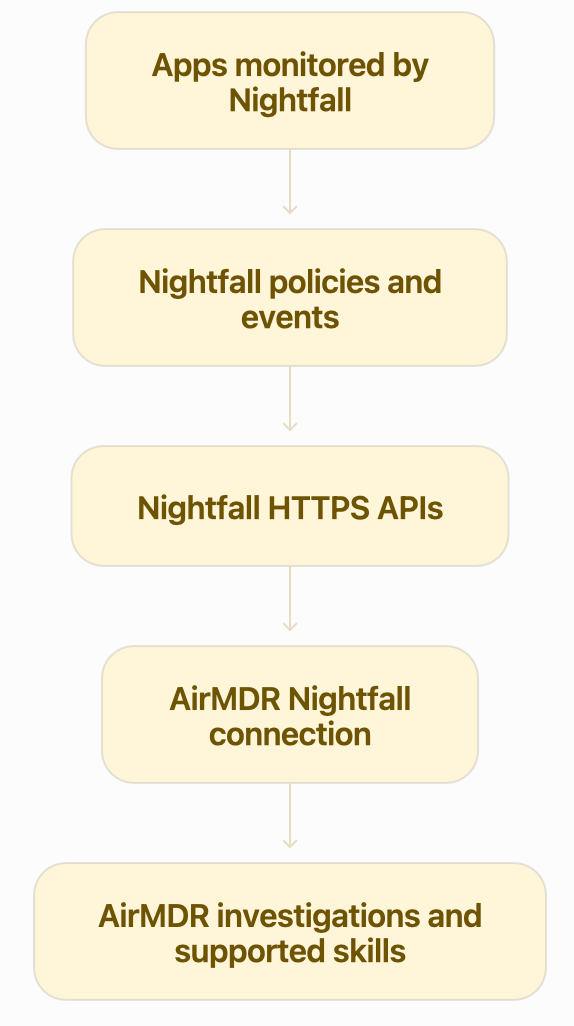
The diagram describes the expected integration flow; the records and actions AirMDR uses depend on its Nightfall skills. Nightfall’s DLP API can provide violation records, including related metadata and findings through documented endpoints. Findings may contain sensitive information, so restrict access to both systems accordingly.
| Security item | Guidance |
| :------------------------- | :---------------------------------------------------------------------------------------------------------------------------------------------------------------------------------------------------------------------------------------------------- |
| **Data in transit** | Nightfall requires HTTPS for API requests. Permit outbound TCP **443** to `api.nightfall.ai` from the AirMDR execution environment or selected Remote Agent. |
| **Nightfall data at rest** | Nightfall states that its databases are encrypted at rest. Consult AirMDR’s security documentation for the storage controls applicable to the AirMDR credential and any data AirMDR retains. |
| **API endpoint** | The read-only validation example uses `https://api.nightfall.ai/dlp/v1/violations`. Other supported Nightfall product areas use their own documented API paths; do not use the validation URL as a substitute for AirMDR’s integration configuration. |
| **Credentials** | Provide the API key through the AirMDR secret field. Never place it in screenshots, tickets, logs, or a shared code repository. |
* **In AirMDR:** Review the connection status and the execution results for Nightfall skills in your AirMDR environment. Record the instance name, operation, time, and HTTP status when investigating a failure. The exact log location and field names depend on your AirMDR deployment.
* **In Nightfall:** Review the dashboard for the expected events and open an event’s **Event logs** to see its activity history. The API also documents an activity feed for an individual violation. Event activity is useful for checking whether data exists; it is not a replacement for AirMDR connection logs.
* **Recommended application log levels:** Use `INFO` for successful connection or skill execution, `WARN` for recoverable authentication or rate-limit problems, and `ERROR` for failed executions requiring investigation. Omit API keys and sensitive findings from logs.
**Illustrative AirMDR log messages** — examples of useful information to record, **not** a claim about AirMDR’s actual log format:
```text theme={null}
INFO integration=nightfall instance=Nightfall-Production operation=list_violations http_status=200
WARN integration=nightfall instance=Nightfall-Production operation=list_violations http_status=429
ERROR integration=nightfall instance=Nightfall-Production operation=list_violations http_status
```
| Symptom | Likely cause | Recovery |
| :------------------------------------------- | :-------------------------------------------------------------------------------------------------------------------------- | :------------------------------------------------------------------------------------------------------------------------------------------------------------------------------------------- |
| **401 Unauthorized** | Missing, incorrectly pasted, expired, or revoked key. | Check for spaces or a truncated value. Confirm the key’s status in Nightfall. Replace it in AirMDR if needed; do not type `Bearer `into the `Api_key` field. |
| **Connection or TLS failure** | The AirMDR execution environment or selected Remote Agent cannot reach the Nightfall API over HTTPS. | Check outbound access to `api.nightfall.ai` on TCP 443, DNS resolution, and any applicable proxy or certificate configuration. |
| **200 response, but no expected violations** | No matching event, app connection, policy scope, or time range; or the queried API does not cover the expected data source. | Verify the event in the Nightfall dashboard, check app and policy scope, widen the time range, and confirm that the relevant AirMDR skill supports that data source. |
| **429 Too Many Requests** | API rate limit or quota exceeded. | Reduce request frequency and retry after the interval in the `Retry-After` response header. |
| **One product area works, another fails** | Different Nightfall feature availability or access requirements. | Confirm the subscription and API access for the affected product area, then check which AirMDR skill made the request. Do not interpret this as proof that the entire connection has failed. |