> ## Documentation Index
> Fetch the complete documentation index at: https://docs.airmdr.com/llms.txt
> Use this file to discover all available pages before exploring further.
# Recorded Future
> This integration enables AirMDR to connect with Recorded Future, allowing the platform to enrich threat intelligence data by pulling indicators of compromise (IOCs), risk scores, and contextual information. The API key is required for authenticated access to Recorded Future’s Intelligence API.
### ✅ **Prerequisites**
Before configuring the integration, ensure the following requirements are met:
* Active Recorded Future Subscription with
* User Role with API Access to generate API tokens under **API Access**
* Admin access to AirMDR application
* Testing Tools (Optional) - `curl`, Postman to verify API token validity before integration.
### Supported Versions
* **Recorded Future API**: v2
* **AirMDR**: Compatible with all standard cloud deployments
* **Integration Method**: API Key (HTTPS REST)
### Authentication
The integration uses a **static API key** generated via the Recorded Future Intelligence Services portal.
An active Recorded Future subscription with API access is required.
### Generate a New API Key
To generate an API key in the Recorded Future Platform for integrating with AirMDR, follow these steps:
1. Navigate to [Recorded Future](https://app.recordedfuture.com) Platform.
2. Enter your credentials (**Email Address or Username** and **Password**) to access the Recorded Future dashboard.
1. Click on your **profile icon** in the top-right corner of the page.
2. From the dropdown menu, select **“Settings”**.
🔎 *You must have “****User****” or “****Admin****” privileges to access API token settings.*
1. In the **Settings** panel, go to the left-hand menu.
2. Click on **“API Access”** under the **Account** section.
1. Under the **API Tokens** section, click the **“Generate New Token”** button.
2. In the prompt that appears:
* Enter a meaningful **label** for the token (e.g., `AirMDR Integration`)
* Click **“Generate”**
> ✅ *Best Practice: Use a unique label for each integration to track usage easily.*
1. Click **Copy** to save it to your clipboard.
This is the only time the **API Key** will be displayed. \
Copy and securely save the secret API key in your preferred password manager, or secure storage solution like password vault.
2. Once you successfully copy and securely saved the Key, click **Done**.
Email the **API Key** to AirMDR\
or \
Self **configure** Recorded Future in the AirMDR Integrations Dashboard.
### Error Handling
| Error Message | Cause | Resolution |
| :-------------------------- | :----------------------------- | :------------------------------------------ |
| `401 Unauthorized` | Invalid or expired API Key | Regenerate the token in Recorded Future |
| `403 Forbidden` | Insufficient subscription tier | Contact Recorded Future Support |
| `500 Internal Server Error` | API outage or rate-limiting | Retry with backoff, or check service status |
>
> Check AirMDR’s system logs for API timeout or failure events.
>
### Support & Maintenance
* **Recorded Future Support**: [https://support.recordedfuture.com/](https://support.recordedfuture.com/)
* **AirMDR Support Contact**: `support@airmdr.com`
### Post-Setup Security Best Practices (Optional)
* **Token Rotation**:\
API keys should be rotated **every 90 days** as a security best practice.
* **Update Integration**:\
To update the API Key, go to [**AirMDR → Integrations → Recorded Future**](https://app.airmdr.com/integrations?search=Recorded+Future) **→ Edit**, then paste the new token and re-authenticate.
### Skills Provided by this Integration
| Skill ID | Purpose |
| :-------------------------------------- | :---------------------------------------------------------------------------------------------------------------------------------------------------------------------------------------------------------------------------------------------------- |
| **Recorded Future Get Playbook Alerts** | Retrieves playbook alerts from Recorded Future based on specified filters. This skill allows security analysts to fetch and analyze playbook alerts with various filtering options. |
| **Recorded Future List Alerts** | Lists alerts from Recorded Future based on specified filters. This skill allows security analysts to retrieve alerts for specific entities, statuses, priorities, and time ranges. |
| **Recorded Future Get Enrichment** | Retrieves enrichment data from Recorded Future for specified indicators including URLs, domains, IPs, companies, vulnerabilities, and hashes. This skill provides security analysts with enhanced threat intelligence about potential security risks. |
To view the details of Input Parameters and Output for the respective skills
* Go to [AirMDR → Recorded Future](https://app.airmdr.com/integrations?search=Recorded+Future) Integration page.
* Select the **Skills** tab and click on the required listed skills.
### Recorded Future API Testing
Open **cURL** and run the following command to check if your API Key is working:
**Sample** `cURL`**Command**
```
curl --location --globoff 'https://api.recordedfuture.com/alert/v3?triggered=[2025-07-08T12%3A03%3A58.000Z%2C2025-07-09T14%3A03%3A58.000Z]&limit=1' \
--header 'X-RFToken: {CLIENT_X_RFTOKEN}' \
--header 'accept: application/json' \
--header 'Cookie: JSESSIONID=node0xqc123euxh9u1wqusd8facc0x625.node0'
```
> Replace `CLIENT_X_RFTOKEN` with your actual secret API key.
```
{
"data": [
{
"review": {
"note": null,
"status_in_portal": "New",
"assignee": null,
"status": "no-action"
},
"owner_organisation_details": {
"organisations": [
{
"organisation_id": "uhash:REDACTED",
"organisation_name": "RedactedOrganization"
}
],
"enterprise_id": "uhash:REDACTED",
"enterprise_name": "RedactedOrganization"
},
"url": {
"api": "https://api.recordedfuture.com/v3/alerts/REDACTED",
"portal": "https://app.recordedfuture.com/live/sc/notification/?id=REDACTED"
},
"rule": {
"use_case_deprecation": null,
"name": "Brand Names in Hashtags",
"id": "REDACTED",
"url": {
"portal": "https://app.recordedfuture.com/live/sc/ViewIdkobra_view_report_item_alert_editor?view_opts=REDACTED"
}
},
"id": "REDACTED",
"hits": [
{
"entities": [
{
"id": "REDACTED",
"name": "#日立ソリューションズ",
"type": "Hashtag"
}
],
"document": {
"source": {
"id": "source:REDACTED",
"name": "Bluesky Social Network",
"type": "Source"
},
"title": "REDACTED",
"url": "https://bsky.app/profile/REDACTED",
"authors": [
{
"id": "REDACTED",
"name": "REDACTED",
"type": "Username"
}
]
},
"fragment": "REDACTED — RedactedOrganizationの最高賞受賞、日本唯一のプラチナパートナーに認定...",
"id": "REDACTED",
"language": "jpn",
"primary_entity": null,
"analyst_note": null
},
{
"entities": [
{
"id": "REDACTED",
"name": "#業務自動化",
"type": "Hashtag"
}
],
"document": {
"source": {
"id": "source:REDACTED",
"name": "Bluesky Social Network",
"type": "Source"
},
"title": "REDACTED",
"url": "https://bsky.app/profile/REDACTED",
"authors": [
{
"id": "REDACTED",
"name": "REDACTED",
"type": "Username"
}
]
},
"fragment": "REDACTED — RedactedOrganization日本法人が授与する賞で特別な栄誉を獲得...",
"id": "REDACTED",
"language": "jpn",
"primary_entity": null,
"analyst_note": null
},
{
"entities": [
{
"id": "REDACTED",
"name": "#業務自動化",
"type": "Hashtag"
},
{
"id": "REDACTED",
"name": "PLC",
"type": "IndustryTerm"
},
{
"id": "REDACTED",
"name": "REDACTED",
"type": "Image"
},
{
"id": "REDACTED",
"name": "BlueMeme",
"type": "OrgEntity"
},
{
"id": "REDACTED",
"name": "株式会社BlueMeme",
"type": "OrgEntity"
},
{
"id": "REDACTED",
"name": "RedactedOrganization",
"type": "Company"
},
{
"id": "REDACTED",
"name": "#bluememe",
"type": "Hashtag"
},
{
"id": "REDACTED",
"name": "#RedactedOrganization",
"type": "Hashtag"
},
{
"id": "REDACTED",
"name": "REDACTED",
"type": "Image"
},
{
"id": "REDACTED",
"name": "https://tokyo.publising.3rd-in.co.jp/article/REDACTED",
"type": "URL"
}
],
"document": {
"source": {
"id": "source:REDACTED",
"name": "Bluesky Social Network",
"type": "Source"
},
"title": "REDACTED",
"url": "https://bsky.app/profile/REDACTED",
"authors": [
{
"id": "REDACTED",
"name": "REDACTED",
"type": "Username"
}
]
},
"fragment": "REDACTED — RedactedOrganizationの「Breakout Partner of the Year」 を受賞し業務自動化を推進...",
"id": "REDACTED",
"language": "eng",
"primary_entity": null,
"analyst_note": null
}
],
"enriched_entities": [],
"ai_insights": {
"comment": "The Recorded Future AI requires more references in order to produce a summary.",
"text": null
},
"log": {
"note_author": null,
"note_date": null,
"status_date": null,
"triggered": "2025-07-09T12:04:30.080Z",
"status_change_by": null
},
"triggered_by": [],
"title": "Brand Names in Hashtags - 3 references",
"type": "EVENT"
}
],
"counts": {
"returned": 1,
"total": 5
}
}
```
### Configure OpenAI in the AirMDR Integrations Dashboard
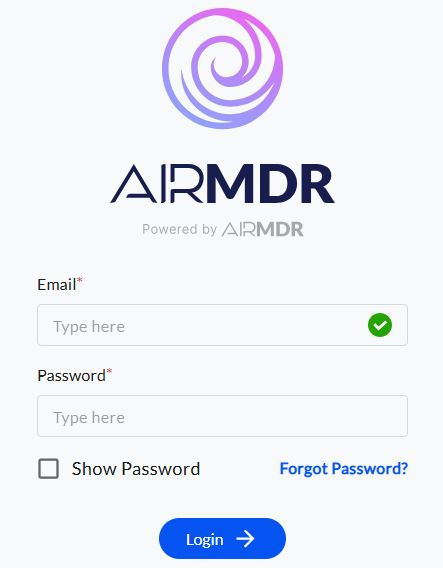
1. Navigate to [AirMDR](https://app.airmdr.com/auth/login), provide the credentials, and click **Login**
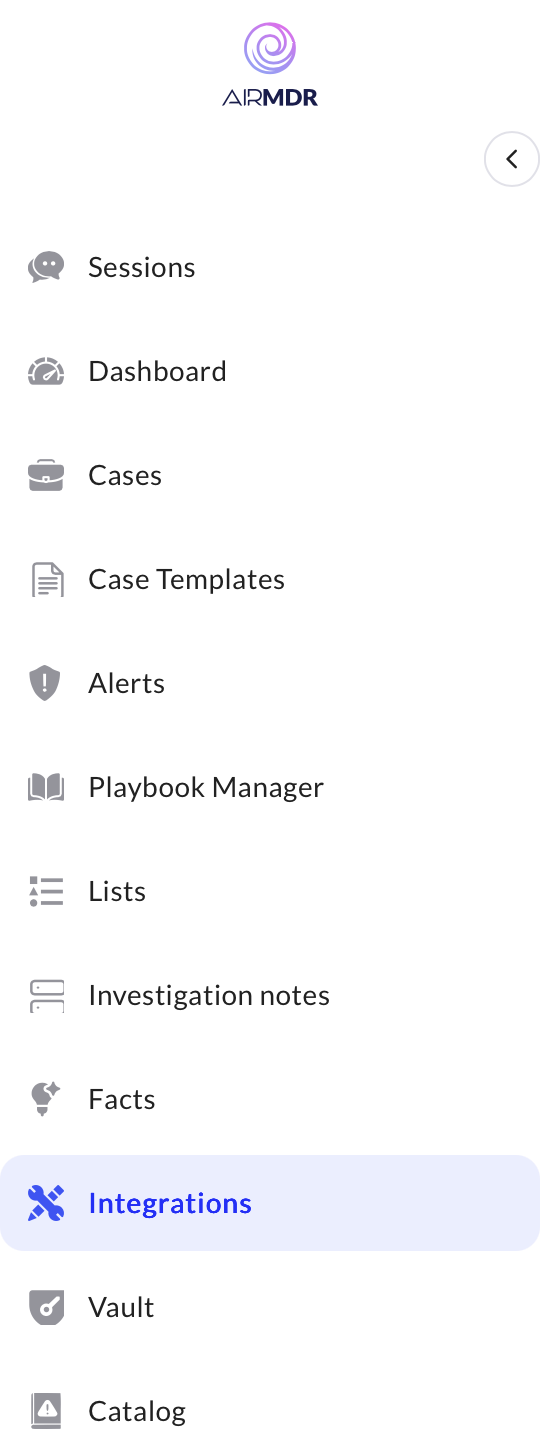
 2. Navigate to the AirMDR Integrations Dashboard in the left navigation pane and select **Integrations.**
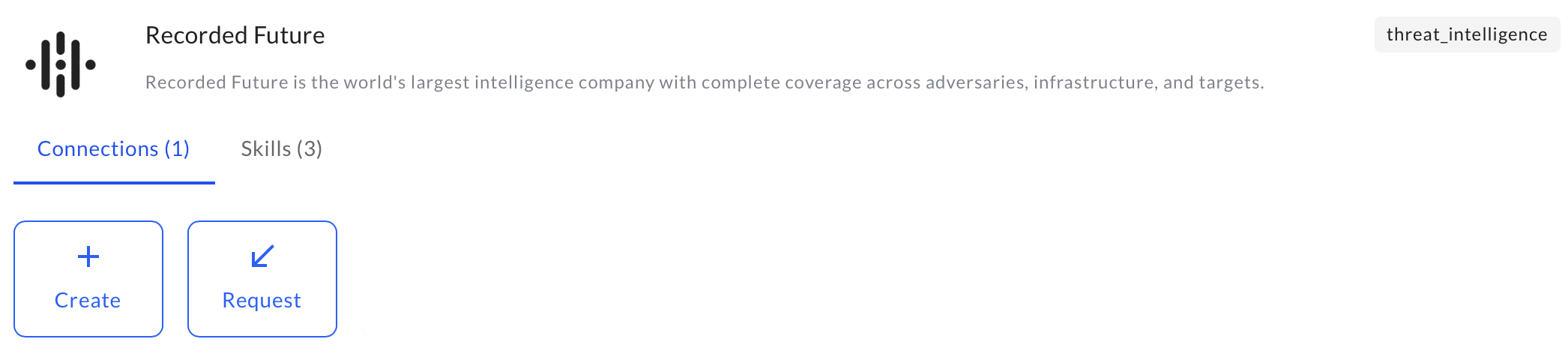
 3. Use the search option, enter the keyword "**Recorded Future**", select the **Connections** tab, and click **Create**.
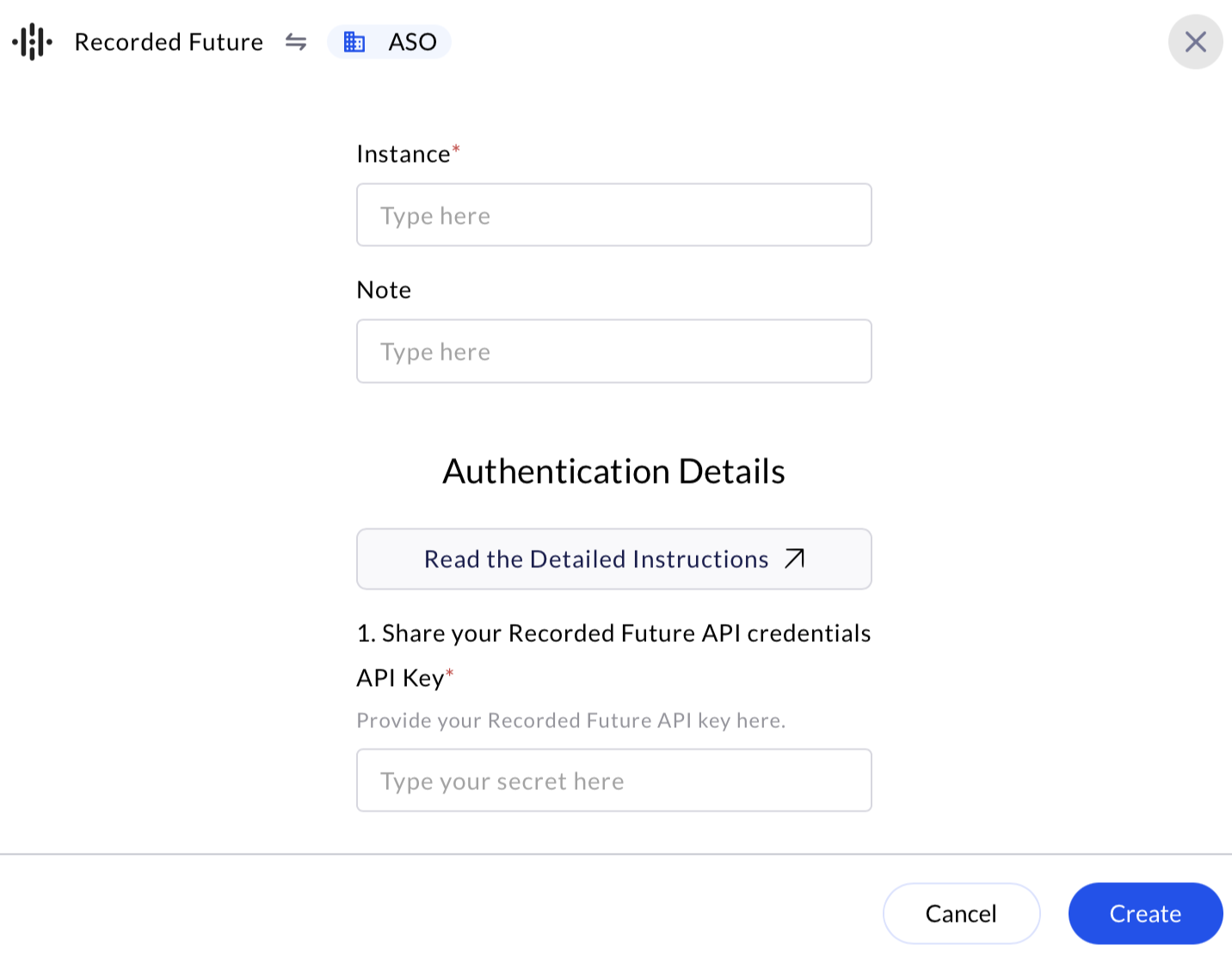
 4. Enter an unique name to the Instance (e.g., `your org name-RecordedFuture`) to easily identify the user connection by AirMDR.
5. Enter the generated **API Key** in the Authentication Details field params, and click **Create.**
4. Enter an unique name to the Instance (e.g., `your org name-RecordedFuture`) to easily identify the user connection by AirMDR.
5. Enter the generated **API Key** in the Authentication Details field params, and click **Create.**