> ## Documentation Index
> Fetch the complete documentation index at: https://docs.airmdr.com/llms.txt
> Use this file to discover all available pages before exploring further.
# API Authentication with Token
> API tokens are used to authenticate requests to our API in a secure and stateless way.
## Overview
To access our AirMDR API, you need to authenticate using an API token. API tokens allow your application to interact with our AirMDR API on your behalf without requiring a username and password.
## Generate API Token via AirMDR UI
✨ **Step-by-Step for End Users**
1. Navigate to the [AirMDR](https://app.airmdr.com/casesv2) dashboard.
2. Use your username and password to sign in.
1. In the left navigation pane, click on the User profile/avatar.
2. Click on **Go to Admin dashboard**.
Only users with Admin or Super Admin role can view admin dashboard and create token.
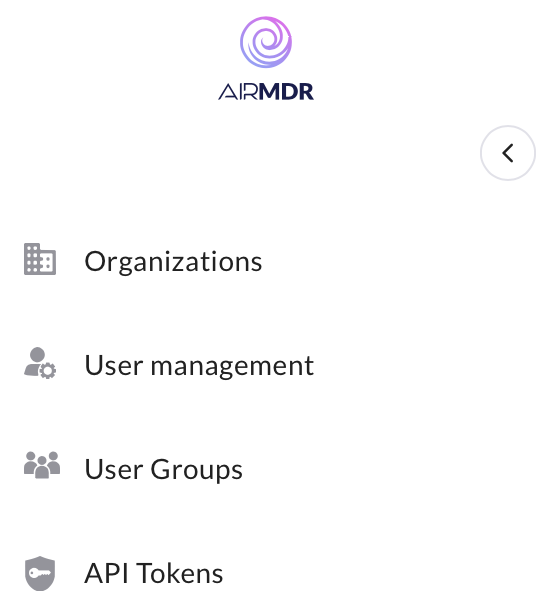
3. Select **API Tokens** from the sidebar menu.\\
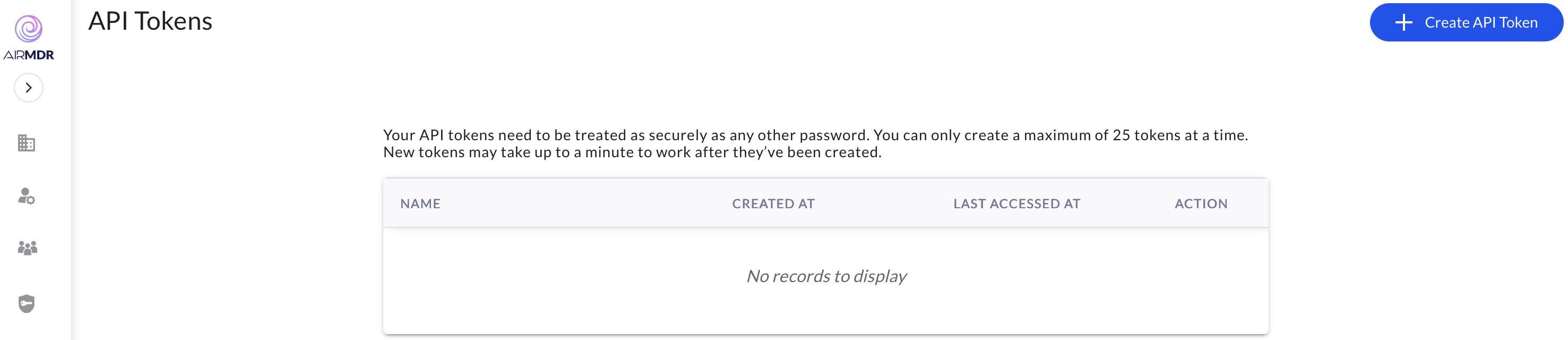
 1. Click the **"Create API Token"** button.\\
 2. Provide a ***Name*** to the generated API (e.g., "AirMDR App Integration").\\
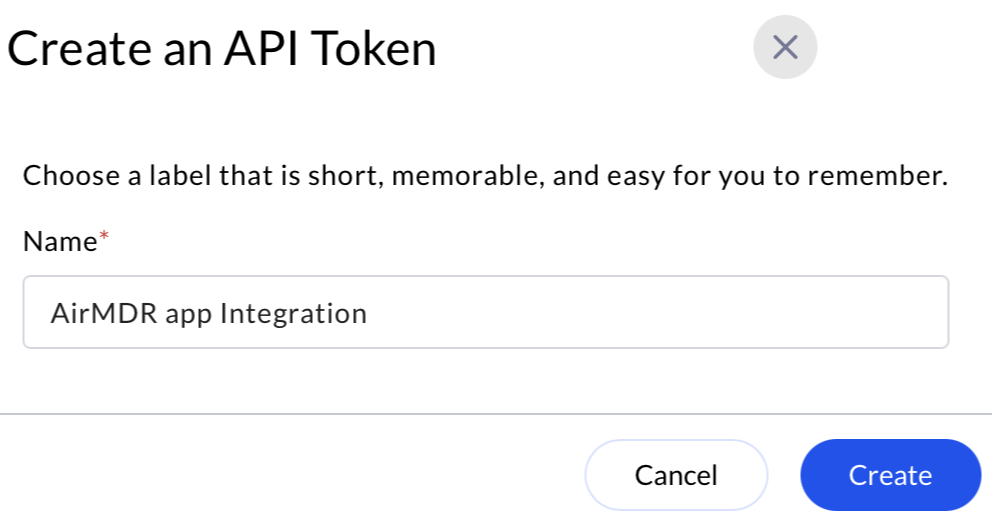 3. Click **Create**.
Once created, your API token will be displayed **only once**. You **won’t** be able to see it again!
* Click **Copy** and store it securely (e.g., environment variable, secrets manager).\\
3. Click **Create**.
Once created, your API token will be displayed **only once**. You **won’t** be able to see it again!
* Click **Copy** and store it securely (e.g., environment variable, secrets manager).\\
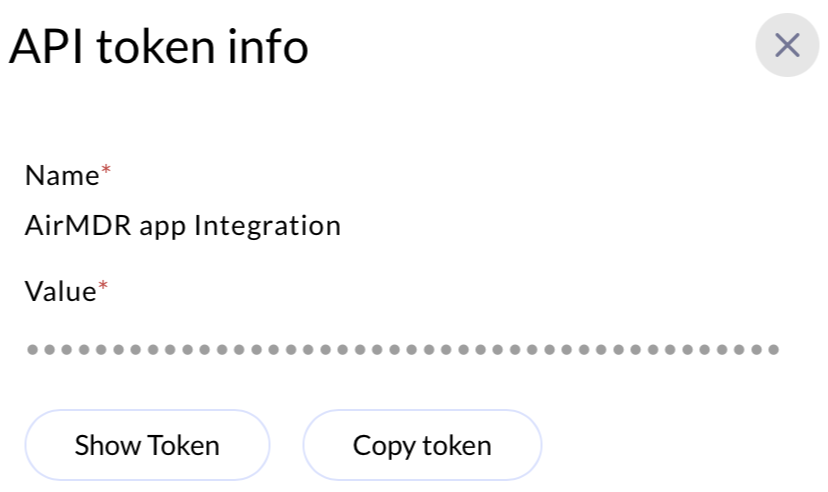 You can also view the generated API Token, click on **Show Token** button.
You can revoke the token access by deleting the token as required
* Navigate to **API Tokens** from the sidebar menu
* Use the **Delete** option under ACTION.
You can also view the generated API Token, click on **Show Token** button.
You can revoke the token access by deleting the token as required
* Navigate to **API Tokens** from the sidebar menu
* Use the **Delete** option under ACTION.
 ### 📥 Using the Token
After obtaining your token, include it in the `Authorization` header for subsequent API requests.
All necessary headers (like `Authorization`) are automatically prefilled when you generate a new API token.
**cURL Example**:
```
curl --location 'https://app.airmdr.com/airmdrapi/organization' \
--header 'Cookie: Session=""'
```
### 🔒 Best Practices
* Use HTTPS for all API calls.
* Never share your token publicly (e.g., in GitHub repos).
* Use separate tokens for different environments/projects.
* Delete and regenerate tokens regularly or if you suspect a leak.
* Prefer scoped and expiring tokens for extra security.
### 💡 Tips for Developers
* Handle token expiration gracefully by checking for `401 Unauthorized` responses.
### 📥 Using the Token
After obtaining your token, include it in the `Authorization` header for subsequent API requests.
All necessary headers (like `Authorization`) are automatically prefilled when you generate a new API token.
**cURL Example**:
```
curl --location 'https://app.airmdr.com/airmdrapi/organization' \
--header 'Cookie: Session=""'
```
### 🔒 Best Practices
* Use HTTPS for all API calls.
* Never share your token publicly (e.g., in GitHub repos).
* Use separate tokens for different environments/projects.
* Delete and regenerate tokens regularly or if you suspect a leak.
* Prefer scoped and expiring tokens for extra security.
### 💡 Tips for Developers
* Handle token expiration gracefully by checking for `401 Unauthorized` responses.