

Purpose
The Email Response Checkpoint enables human-in-the-loop validation within automated playbooks.🔄 Common Use Cases
🔄 Common Use Cases
Common use cases include:
- Confirming suspicious login activity
- Verifying phishing email interactions
- Validating account actions with end users
- Gathering user confirmation before remediation actions
- Reducing false positives through direct user verification
⚙️ How It Works?
⚙️ How It Works?
When a playbook reaches a Wait for an Email Response checkpoint:
- AirMDR sends an email to the specified recipient.
- The playbook execution status changes to Waiting at Checkpoint.
- The playbook remains paused until:
- The recipient replies to the email, or
- The configured wait time expires.
- Once a response is received or the timeout is reached, the playbook automatically resumes execution.
- Subsequent playbook steps can use the recipient’s response to determine the next action.
👤 End User Experience
👤 End User Experience
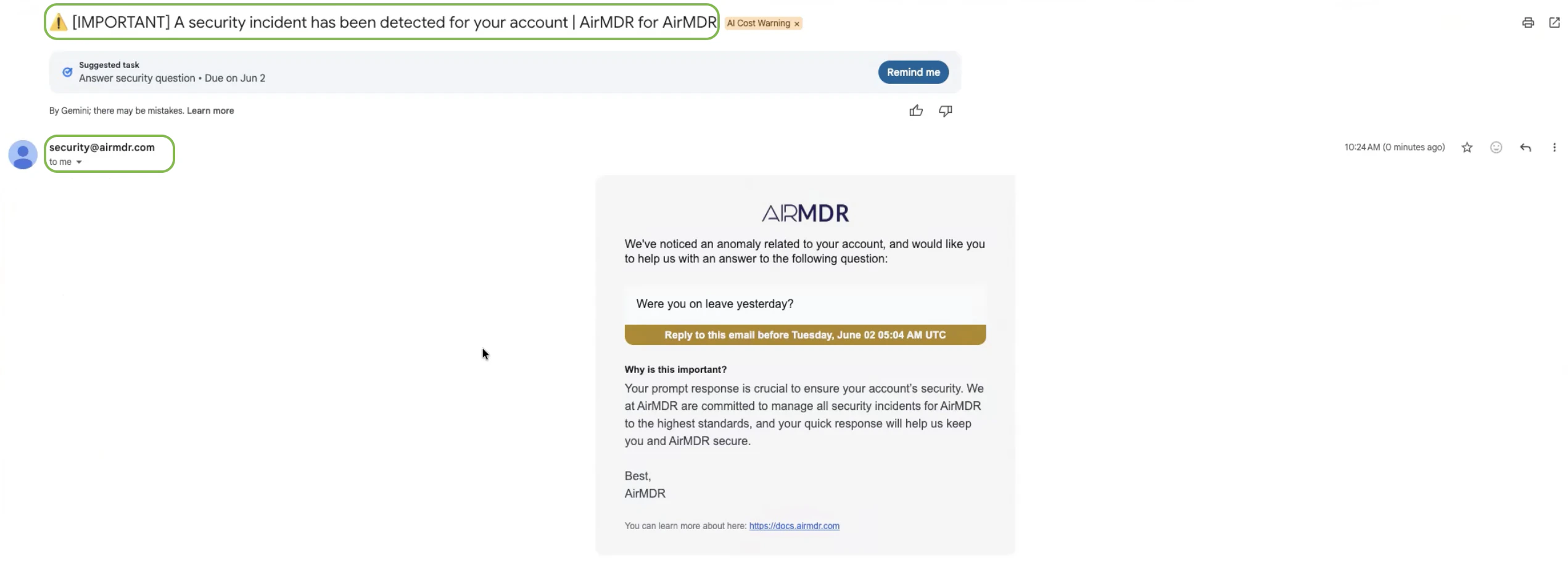
The recipient receives an email requesting confirmation regarding a detected security event.The email contains:
- A predefined security notification subject
- A security-related message configured by the playbook creator
- Instructions to reply directly to the email
- No requirement to log in to AirMDR
📨 Example Email from security@airmdr.com
📨 Example Email from security@airmdr.com
📖 Playbook Behavior
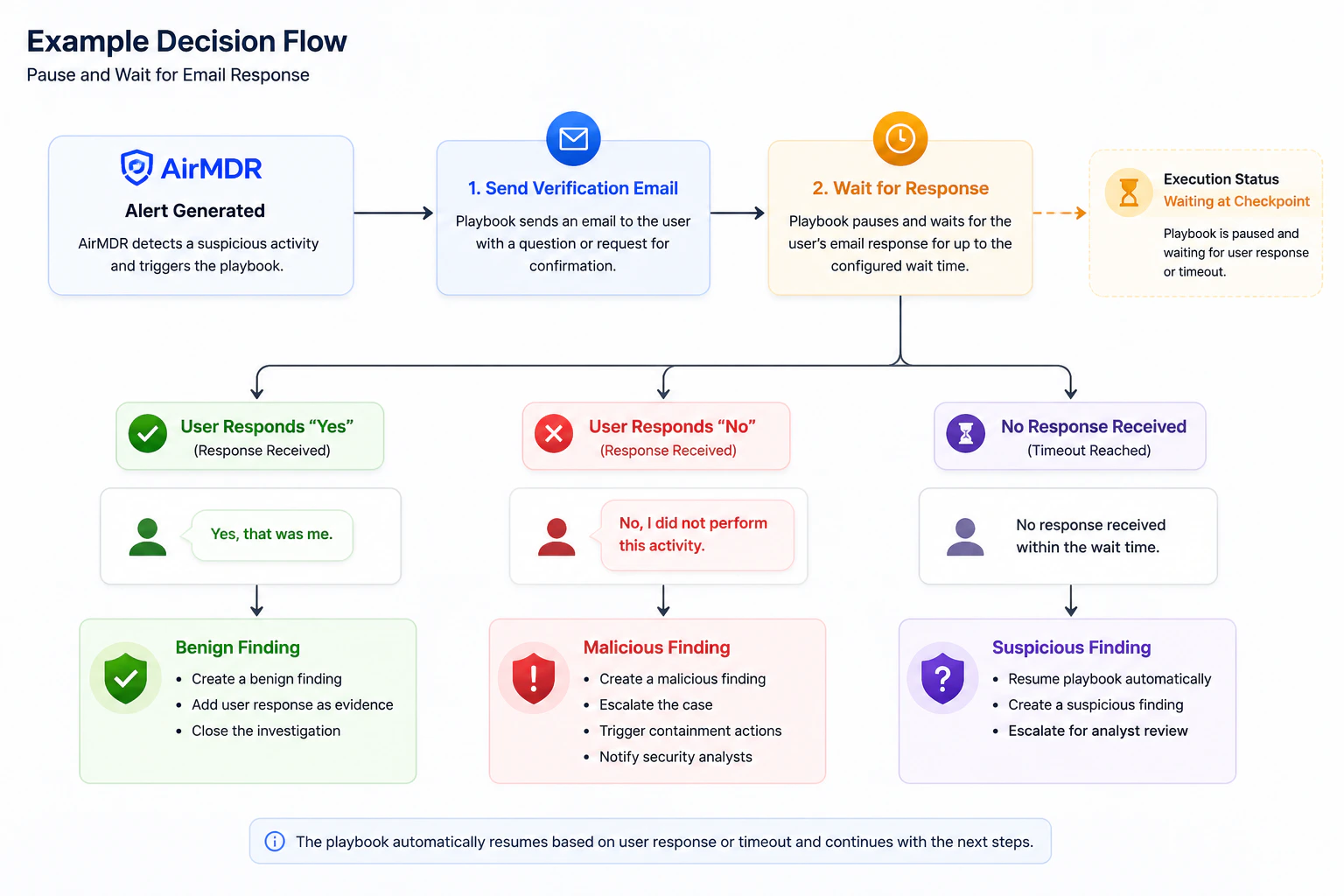
Email Checkpoint Skill Behavior Scenarios
1
Scenario 1: User Responds
If the recipient replies before the configured timeout:The playbook may classify the activity as benign and close the investigation.
- The checkpoint is completed.
- The playbook resumes execution.
- The response body is captured as checkpoint output.
- Subsequent steps can evaluate the response and take appropriate actions.
2
Scenario 2: User Indicates Suspicious Activity
Example: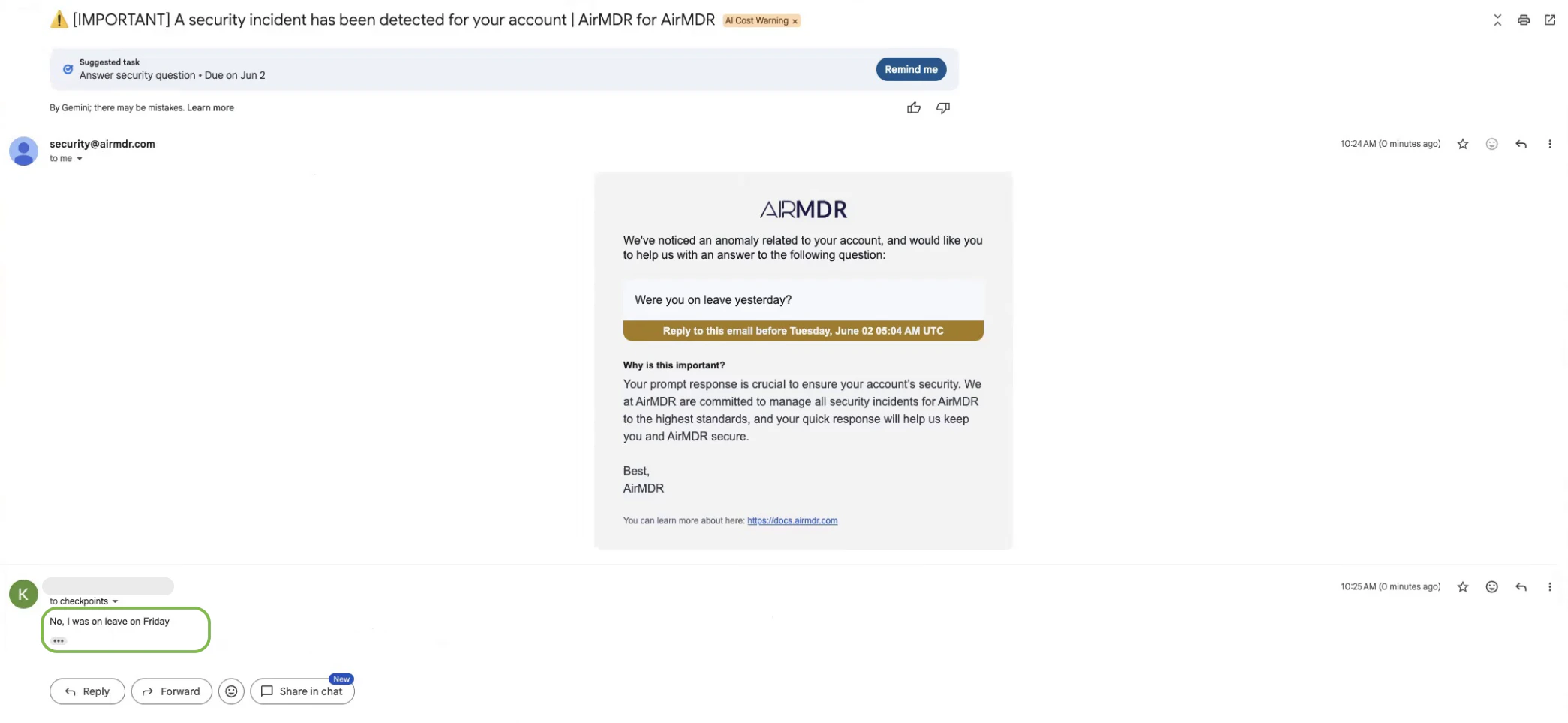
- Create a malicious finding
- Escalate the case
- Trigger containment actions
- Notify analysts
3
Scenario 3: No Response Received
If the recipient does not respond within the configured wait time:
- The checkpoint timeout is reached.
- The playbook automatically resumes.
- The execution records that no response was received.
- Subsequent playbook logic can mark the event as suspicious and escalate for analyst review.
Additional Information
🧰 Configuring the Checkpoint
🧰 Configuring the Checkpoint
When building a playbook, configure the following parameters:
🔄 Checkpoint Outputs
🔄 Checkpoint Outputs
After execution resumes, the checkpoint provides the following outputs:
These outputs can be used in conditional branches to determine the next playbook action.
📊 Example Workflow
📊 Example Workflow
Phishing Investigation
- A phishing alert is generated.
- The playbook sends an email to the affected user.
- The playbook pauses and waits for a response for up to 1 hour.
🛠️ Execution Status
🛠️ Execution Status
While waiting for a response, the playbook execution displays the following status:This status indicates that execution is paused and awaiting either a user response or timeout expiration.
🛑 Best Practices
🛑 Best Practices
- Keep questions simple and direct.
- Ask questions that can be answered clearly.
- Provide sufficient context for the recipient.
- Configure reasonable timeout values based on business requirements.
- Use conditional branching to handle positive, negative, and no-response scenarios.
- Include user responses as evidence in findings whenever applicable.
📝 Notes
📝 Notes
- Recipients do not require an AirMDR account.
- Users interact solely through email replies.
- Playbook execution automatically resumes after a response or timeout.
- No manual intervention is required to restart execution.
- The feature supports MSSP branding and can be customized for partner deployments.
👉 Support & Maintenance
👉 Support & Maintenance
- 📧 Contact AirMDR Support through your designated support channel.
- 🔄 Connect in AirMDR in case of any suspicious activity.